

HostingRaja KYC Process: Simple Guide to Complete Your Verification
Table of Contents
What is KYC?
KYC (Know Your Customer) is a verification process that confirms your identity using government-issued documents. For hosting services, it ensures compliance with domain registration regulations and protects your account from unauthorized access.
HostingRaja Uses Digio For KYC Process
HostingRaja partners with Digio for fast, secure digital KYC verification. This prevents domain suspensions due to incorrect or incomplete KYC details and completes verification in under 5 minutes.
Why HostingRaja Choose Digio?
HostingRaja implemented Digio’s solutions to prevent domain suspensions caused by incorrect KYC details. Digio offers efficient, compliant, secure, user-friendly, and cost-effective electronic KYC solutions, ensuring smooth onboarding and customer satisfaction.
- Fast: Complete verification in 5 minutes instead of 2-3 days
- Secure: Bank-grade encryption protects your documents
- Simple: Mobile-friendly interface works on any device
- Compliant: Meets all Indian regulatory requirements
The KYC Process with Digio
- Initiation: Receive a KYC verification email after signing up for HostingRaja services
- Document Submission: Upload Aadhaar, PAN, or passport in JPG, PNG, or PDF format
- Verification: AI verifies your documents in real-time against government databases
- Approval: Get instant notification and immediate account activation
Step-By-Step Guide to Complete the HostingRaja Digio KYC Process
Before You Start: Ensure your device has a working camera and stable internet connection. Keep your Aadhaar/PAN/Passport ready.
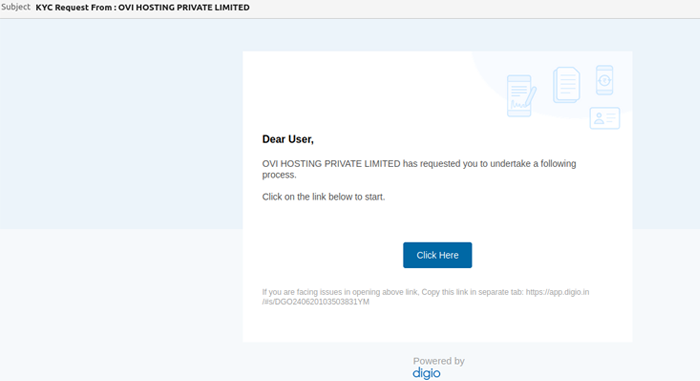
Step 1: Open KYC Email
Click “Click Here” in the KYC verification email sent to your registered email address.
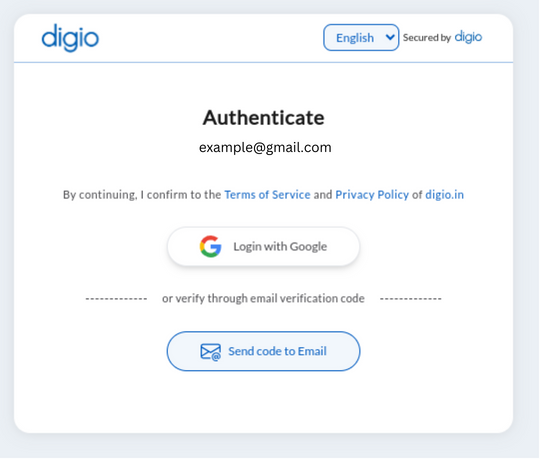
Step 2: Accept Terms
Accept Digio’s Privacy Policy and Terms & Conditions to proceed.
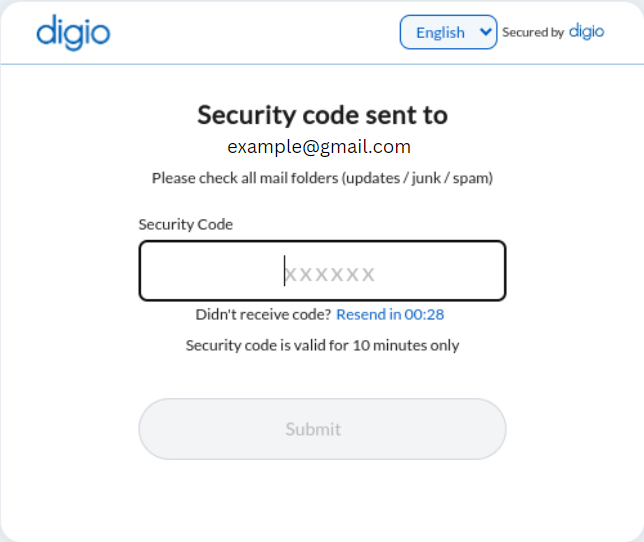
Step 3: Enter OTP
Enter the security code sent to your email.
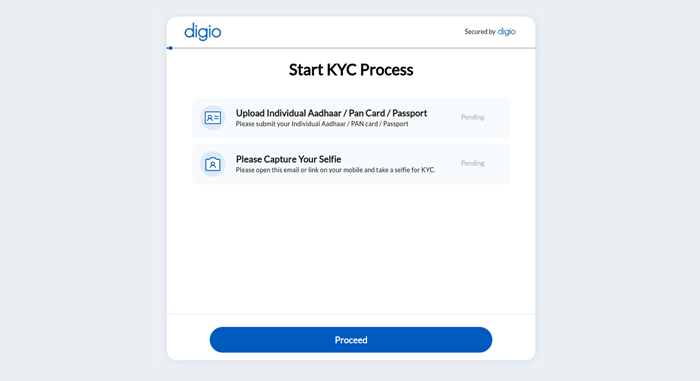
Step 4: Start KYC
Click ‘Proceed’ to begin document upload.
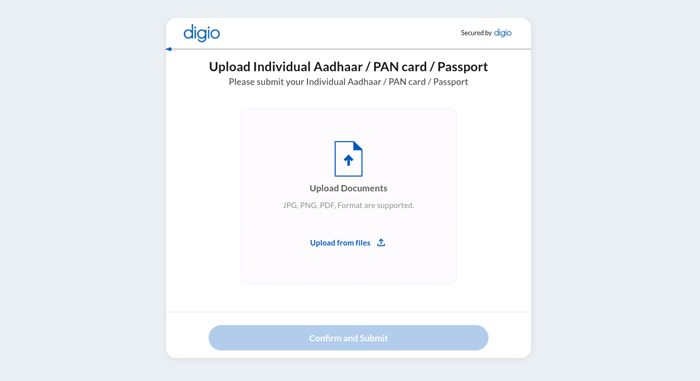
Step 5: Upload Document
Upload a clear photo of your Aadhaar/PAN/Passport (JPG, PNG, or PDF format). Ensure all corners are visible and text is readable.
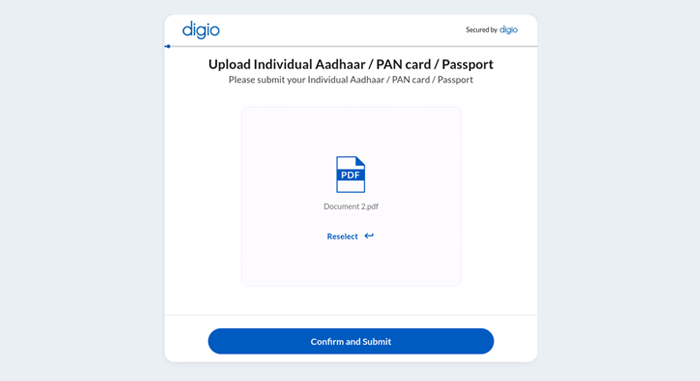
Step 6: Confirm & Submit
Review your document and click ‘Confirm and Submit’.
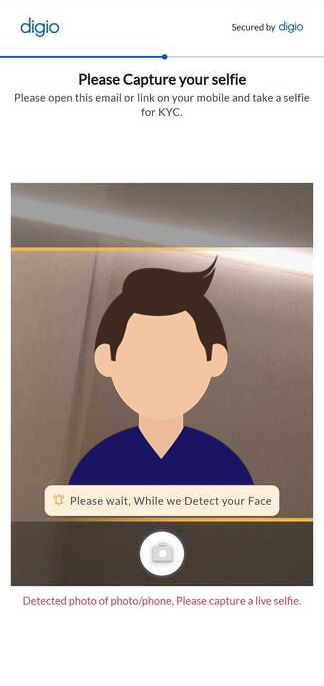
Step 7: Take Selfie
Capture a live selfie in good lighting that matches your submitted document. Avoid screenshots or photos of photos – the system detects these and will reject your submission with an error message like ‘Detected photo of a photo/phone. Please capture a live selfie’.
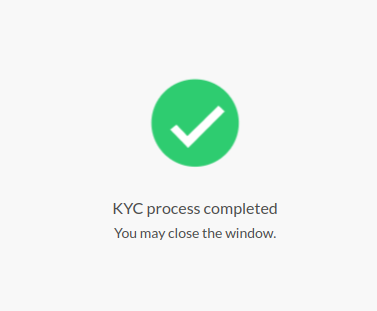
Step 8: Done!
Your KYC is complete! You’ll receive confirmation via email and SMS. Your HostingRaja account is now fully activated.
message such as ‘Detected photo of a photo/phone. Please capture a live selfie’.
Need Help?
- Email: [email protected]
- Phone: +91-080 6225 6100
By following these steps, you can efficiently complete the KYC process with HostingRaja through the Digio platform, ensuring a secure and seamless verification experience.